
Web LiDAR & 360° platform for corridor mappingWeb LiDAR & 360° platform
Your whole corridor,
in one browser link.
PointCraft publishes mobile-mapping LiDAR and 360° panoramas as one fast web view. Your team and your clients measure, extract and deliver to your CAD template — nothing to install, even on a slow connection.
Mobile-mapping LiDAR and 360° panoramas in one fast web view. Measure, extract and deliver to your CAD template — nothing to install, even on a slow connection.
30-minute call with the PointCraft team · private demo project afterwards
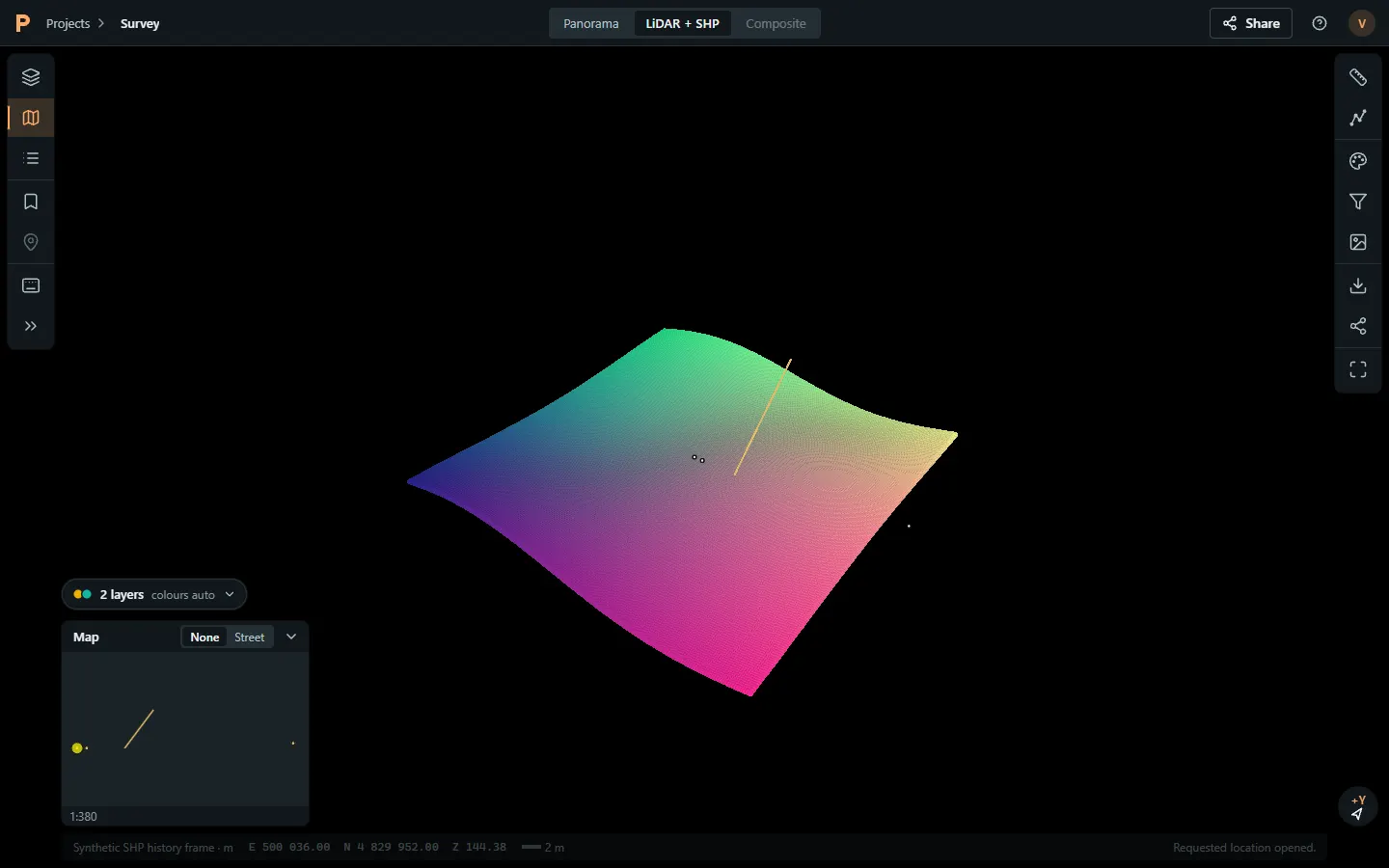
 The PointCraft web viewer,
shown on synthetic test data. A public live demo on open data is on the way.
The PointCraft web viewer,
shown on synthetic test data. A public live demo on open data is on the way.
The PointCraft web viewer on synthetic test data. A public live demo is on the way.
Built in Canada for corridor-mapping teams
LiDAR, 360° panoramas and SHP/CAD layers from your mobile-mapping runs, published as one private web link.


Accounts hosted in Canada
Accounts and the project database are hosted in Canada (Central).
The problem
Corridor data shouldn’t travel by courier.
Mobile mapping captures a corridor in days. Getting it in front of the people who need it still takes weeks of hard drives, desktop licences and one overloaded workstation.
Capture takes days. Getting it to the people who need it still takes weeks.
Today
-

 Hard drives couriered to clients and field crewsHard drives couriered to clients
-
Desktop viewers that need a workstation, a licence and an installDesktop viewers need a workstation and licence
-
People on site or on a hotspot can’t open a 100 GB projectA 100 GB project won’t open on a hotspot
-
Extraction lives on one person’s machine; QA happens by emailExtraction stuck on one machine
With PointCraft
-
 One private link that opens in any modern browserOne private link, any modern browser
-
Streams only what’s on screen, so it stays usable on slow connectionsStreams only what’s on screen
-
Measure, extract and review in the same view as your clientMeasure, extract and review together
-
Deliver DXF/DWG in your client’s CAD template, plus SHP and CSVDXF/DWG in your client’s template, SHP, CSV
How it works
From mobile-mapping run to client CAD template.
Four steps, one platform. Works with the data your system already produces — LAS/LAZ, 360° panoramas, SHP and CAD layers.
-
01

Upload
Push LAS/LAZ, panoramas and SHP/
CAD layers with one command. Uploads resume if the connection drops. Push LAS/LAZ, panoramas and SHP/CAD with one command. Uploads resume after drops.
-
02

Process
Large clouds are tiled and indexed for streaming. Panoramas are indexed for fast station-to-station stepping.
Clouds tiled and indexed for streaming; panoramas indexed for fast stepping.
-
03

View & extract
Your team and your client open one link. Measure, then digitise poles, curbs and assets with snapping and attribute forms.
One link for team and client. Measure and digitise with snapping and attribute forms.
-
04

Deliver to your CAD template
Export DXF/DWG with your client’s layers and blocks, plus SHP and CSV, in the project’s coordinate system.
DXF/DWG with your client’s layers and blocks, plus SHP and CSV.
Formats
LAS / LAZ360° JPGSHPDXF / DWGCSVAny EPSGIndustries
Built for the teams who map and maintain corridors.
Fibre & telecom make-ready
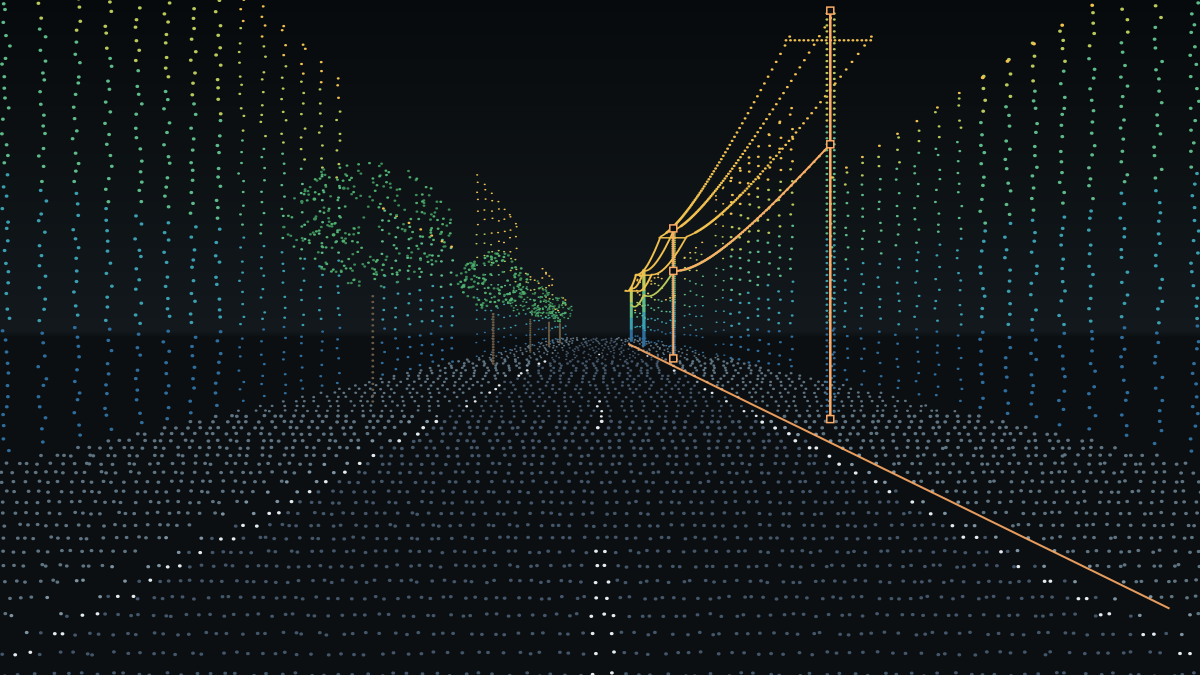
Inventory every pole, strand and anchor along the route from one drive, measure attachment heights and clearances in 3D, and hand your design team CAD in the owner’s template.
Inventory poles, strand and anchors from one drive, measure attachment heights in 3D and deliver CAD in the owner’s template.
-
 Pole, strand and
anchor inventory with attributes
Pole, strand and
anchor inventory with attributes
-
Attachment heights
and clearances measured on the cloud
-
Field, office and
client review the same link
-
DXF/DWG in your
client’s layers and blocks



Utilities
Asset inventory, vegetation and clearance checks, and one shared view for field and office.
Municipalities & transport
Road asset inventory — signs, curbs, catch basins and manholes — in a web viewer that many staff can open with no installs.
Survey & engineering
Deliver to your own clients through one private link, with extraction tools and CAD output in their template.
Mobile-mapping providers
Publish each capture run to your clients as a fast web view instead of shipping drives.
Features
Everything a corridor project needs, in one view.
No plug-ins, no desktop install, no per-seat fees for field crews to open a link.

LiDAR + 360° panoramas
Stream corridor point clouds and step station to station through street-level panoramas — or see points and vectors drawn over the photo in Composite view.
Point clouds and street-level panoramas in one view, plus Composite: points and vectors over the photo.

SHP & CAD layers
Bring your existing shapefiles and CAD linework. They line up in 3D and on the panoramas, in the project’s coordinate system.
Your shapefiles and CAD linework, aligned in 3D and on panoramas.

Extraction tools
Digitise points, lines and polygons with vertex, edge and intersection snapping, tracing, attribute forms, topology checks and undo.
Points, lines, polygons with snapping, tracing, attribute forms and QA.

Measurements
Distance, height difference, slope and area on the cloud. Export results to CSV or DXF for the design file.
Distance, height, slope and area; export to CSV or DXF.

Sharing & roles
Invite-only projects with Admin, Editor and Viewer roles, groups, per-layer access, expiry dates and an audit log.
Invite-only, Admin/Editor/Viewer, per-layer access, audit log.

Fast on slow internet
Loads only what’s in view, compressed and cached, so a hotspot in the field is enough to review a corridor.
Loads only what’s in view — a field hotspot is enough.
Security & residency
Ready for utility and public-sector reviews.
Canadian buyers ask where data lives and who can see it before anything else. Here is the short answer; the long one is on our security page.
Read the security overview
-

Accounts hosted in Canada
Accounts and project database hosted in Canada (Central).
-

Invitation-only access
No public projects. Nobody sees data unless an admin invites them; share links carry no account IDs.
No public projects; share links carry no account IDs.
-

Roles & per-layer access
Admin, Editor and Viewer roles, groups, per-layer permissions and access expiry.
Admin, Editor, Viewer, groups, expiry.
-

Audit log
Invites, shares, exports and role changes are recorded per project.
Invites, shares, exports and role changes recorded.
-

Subprocessors listed
The providers that host and process data for us are listed on our subprocessors page.
-

Encrypted in transit and at rest
TLS everywhere; storage encrypted at rest by our cloud providers.
Pilot on your data
One corridor, published in 48 hours.
Send us one corridor — LiDAR, panoramas and any existing SHP. We publish it privately, invite your team and export a sample in your CAD template. Decide after you’ve used it.
Send one corridor. We publish it privately, invite your team and export a sample in your CAD template.
What you get
-
 Published within 48 h
of a complete upload
Published within 48 h
of a complete upload
-
 A private link for up
to your whole team
A private link for up
to your whole team
-
 A sample DXF/DWG in
your client’s template
A sample DXF/DWG in
your client’s template
-
 A 30-minute
walkthrough on your data
A 30-minute
walkthrough on your data
Book a demo
See it on your own corridor.
Email us about your work and the data you have. We’ll show PointCraft on a similar corridor, then set up a private project with yours.
Email us about your corridor and we set up a private demo.
Book a demo by email
Write to [email protected] with a few lines about your work. A person replies.
- Your name and company
- The data you have: LiDAR, 360° panoramas, SHP or CAD
- The corridor and what you need to deliver
